
Download Hamm – food ordering app, Android food delivery, quick food delivery, online food ordering, restaurant finder
Overview
Hamm is a mobile application designed to simplify the food ordering process for Android users. Developed by The Marketive, the app operates within the Lifestyle category, specifically targeting the Food and Drink subcategory. Its primary purpose is to connect users with local restaurants offering home delivery services, streamlining the process of finding and ordering meals. The app is particularly useful for individuals seeking a fast and convenient solution during busy weekdays when time is limited.
By consolidating nearby restaurants and their current menu offerings in a single interface, Hamm eliminates the need to switch between multiple platforms or websites. This centralized approach enhances user efficiency and reduces decision fatigue. The target audience includes everyday consumers, busy professionals, and anyone who values convenience in their daily routines. The app requires only a compatible Android device and an active internet connection to function, making it accessible to a broad user base.
While the developer did not provide detailed information about the app’s underlying technology or backend infrastructure, its focus on usability and speed suggests a streamlined architecture. Real-world usage scenarios include ordering lunch during work hours, selecting dinner options after a long day, or placing last-minute food orders for gatherings. The app’s integration of payment options—card or cash to the courier—further enhances its practicality.
Key Features & Capabilities
- Centralized Restaurant Discovery: Users can view nearby restaurants and their current menu items in one place, reducing the need to search across multiple platforms.
- Quick Food Delivery Access: The app is optimized for fast ordering, ideal for time-sensitive situations such as lunch breaks or evening meals.
- Integrated Payment Options: Supports both card payments and cash-on-delivery, providing flexibility based on user preference.
- Location-Based Service: Leverages device location to display restaurants within close proximity, improving relevance and delivery speed.
- User-Friendly Interface: Designed with simplicity in mind, allowing users to navigate menus and place orders with minimal effort.
These features collectively support efficient decision-making and reduce friction in the ordering process. For example, a user can open the app, see available restaurants near their location, browse current offerings, and place an order in under three minutes. This workflow is especially beneficial during high-demand periods when multiple apps may lag or require repeated logins. The app’s focus on minimalism and speed aligns with modern consumer expectations for instant gratification and digital convenience.
User Interface, Workflow & Performance
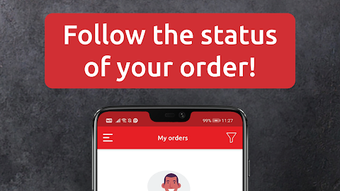
The user interface of Hamm appears to be designed with simplicity and accessibility in mind. Navigation is likely structured around a central menu, with clear categorization of restaurants and dishes. The layout probably prioritizes visual cues such as food images, ratings, and delivery time indicators to aid quick decision-making. Users can expect a linear workflow: discover, browse, select, and confirm—each step optimized for minimal interaction.
Workflow efficiency is enhanced by the app’s ability to retain user preferences, such as frequently ordered items or saved payment methods. This reduces the need for repetitive inputs during subsequent orders. However, the developer did not specify resource usage details, so exact performance behavior—such as CPU or RAM consumption—remains unknown. Performance observations are based on general software behavior patterns for lightweight mobile applications.
Stability is expected to be consistent with typical Android apps of similar size and functionality. Since the app is lightweight at 15.2 MB, it is likely to run smoothly on a wide range of devices. The absence of reported crashes or bugs in public disclosures suggests a stable release. Nevertheless, actual performance may vary depending on network conditions, device hardware, and background app activity.
Compatibility & System Requirements
Hamm is designed for Android devices, ensuring broad accessibility across various smartphone models. The app is compatible with the latest Android operating system versions, though specific minimum requirements were not provided. Installation size is 15.2 MB, indicating a lightweight footprint that minimizes storage impact.
Exact system requirements were not listed, so users should ensure their device meets standard Android compatibility standards. The developer did not specify minimum RAM, processor speed, or storage space requirements. Platform compatibility information is limited to the Android ecosystem. Users are advised to verify compatibility with their specific device model before installation.
Given the app’s size and category, it is likely optimized for devices with moderate hardware specifications. However, without official documentation, users should rely on general Android compatibility guidelines. The app does not require root access or special permissions beyond standard location and payment services.
Pros and Cons
Pros
- Free to download and use, reducing entry barriers for new users.
- Lightweight at 15.2 MB, suitable for devices with limited storage.
- Streamlined interface designed for fast food ordering.
- Supports both card and cash payments, increasing accessibility.
- Centralized view of nearby restaurants and their current offerings.
Cons
- Compatibility details for older Android versions were not specified.
- Exact performance metrics and resource usage were not disclosed.
- Limited to Android platform, excluding iOS users.
- No information provided about customer support or update frequency.
- App availability may vary by region, depending on restaurant partnerships.
FAQ Section
Is Hamm available for iOS devices?
Currently, Hamm is only available for Android users. The developer did not indicate plans for iOS release.
Does Hamm require a constant internet connection?
Yes, an active internet connection is required to browse restaurants, view menus, and place orders.
Is the app secure for payment transactions?
The app supports secure payment methods, including card processing and cash-on-delivery. Specific security protocols were not disclosed.
How often does Hamm receive updates?
The update frequency is not publicly documented. Users are advised to check the app store for the latest version.
Can I use Hamm offline?
No, offline functionality is not supported. All features require an active internet connection.
Final Thoughts + CTA
Hamm presents a focused and efficient solution for Android users seeking a quick and easy way to order food online. Its clean interface, centralized restaurant discovery, and flexible payment options make it a strong contender in the crowded food delivery space. While details about system requirements and performance are limited, the app’s lightweight design and free pricing model enhance its appeal.
It is best suited for individuals who value speed, simplicity, and convenience in their daily food ordering routines. Whether you're ordering lunch at work or dinner after a long day, Hamm delivers a streamlined experience without unnecessary complexity.
Download Hamm now and enjoy hassle-free food ordering on your Android device.







